
A mix can sound clear, wide, and controlled on headphones, then become bass-heavy, narrow, or cloudy as soon as you play it through speakers. The vocal may move backward. The reverb may suddenly fill the room. Kick and bass that felt separate can merge into one low-frequency mass.
The short answer is that headphones and speakers do not deliver the same stereo recording to your ears in the same way.
Headphones send the left and right channels almost directly to the corresponding ears. Speakers send both channels to both ears, while the room, desk, walls, placement, and listening position all modify what reaches you. A mix that is perfect on one pair of headphones may therefore be balanced partly for that headphone rather than for playback in general.
The solution is not to make headphones and speakers sound identical. That is impossible. The goal is to keep the musical center intact: the vocal position, the relationship between kick and bass, the strength of the rhythm, and the emotional balance of the track.
Headphones and speakers create stereo differently
On headphones, the left channel mainly reaches the left ear and the right channel mainly reaches the right ear. With speakers, sound from the left speaker also reaches the right ear, and sound from the right speaker also reaches the left ear. Neumann's Monitor Mission guide identifies this as one of the fundamental differences between headphone and loudspeaker listening.

Headphones largely isolate the channels. Loudspeakers naturally send each channel to both ears.
This acoustic crosstalk changes the stereo image. Hard-panned instruments and widening effects can feel more dramatic on headphones because the channels are strongly separated. Over speakers, the same mix may sound less wide and less spectacular. Research published by the Audio Engineering Society also shows that simulating loudspeaker-style crosstalk can change how listeners perceive and prefer headphone stereo images.
Adding more stereo widening is not necessarily the answer. Width that depends heavily on phase differences may weaken in mono, and the center of the mix can become unstable. Instead of asking only whether the mix is wide enough, ask a more useful question: does the center remain convincing when the stereo presentation changes?
The vocal, kick, bass, and other central elements should remain clear over speakers. They should also survive a mono check without suddenly disappearing or moving far behind the rest of the arrangement.
Speakers bring the room into the mix
Headphones remove the distance between speakers and walls, desk reflections, and most room acoustics. Loudspeakers do not.
Low frequencies are especially sensitive to the room. When room dimensions correspond with sound wavelengths, standing waves create areas where particular bass frequencies become stronger and other areas where they are reduced. Genelec's monitor-placement guide explains how room modes, wall reflections, speaker placement, and listening position can create large low-frequency changes.

The same bass note can become stronger or weaker when the listening position moves within the room.
Imagine that the listening position sits in a cancellation around 80 Hz. The mix may appear to need more upper bass, so you keep raising it. In a car, another room, or a different pair of speakers, the same mix may then sound excessively heavy.
This gives you an important diagnostic clue: notice where the problem repeats.
If one bass note becomes huge only at one location in one room, check the room and listening position first. If the same note remains excessive on headphones and several other speakers, you have a stronger reason to examine the bass level, resonance, or compression inside the mix.
You may be compensating for your headphones
Headphones do not all reproduce bass, midrange, and treble in the same balance. A higher price does not make every model sound the same, either.
Bright headphones can encourage you to remove too much treble. Headphones with restrained bass can make you raise the kick and bass unnecessarily. The result sounds balanced on that particular model but becomes dull, sharp, or bass-heavy elsewhere.
There is no single headphone target response accepted by every manufacturer. Controlled listening research has also found that different headphone target curves change listener judgments and preferences. The AES study on headphone target responses is a useful technical reference for this problem.
The answer is not simply to buy one better pair. It is to learn what your own headphones reveal, exaggerate, and hide. If familiar commercial releases always sound bright on your headphones but your mix sounds unusually soft, the mix may need more high-frequency energy even though it feels comfortable on that one device.
The Virtual Headphones plug-in can provide a quick secondary perspective inside the DAW. It is not an exact physical copy of every headphone and should not be treated as a new source of truth. Its useful role is to reveal whether a decision works only with the tonal balance of the headphones you are currently wearing.
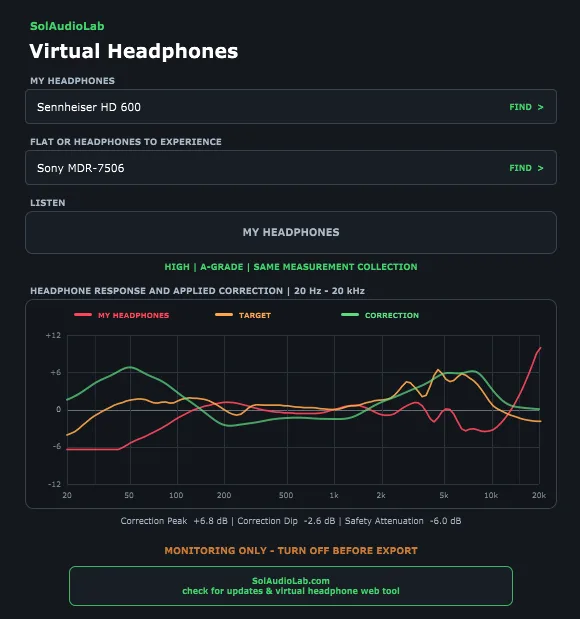
Virtual Headphones provides additional tonal perspectives without interrupting the DAW workflow.
If one profile sounds balanced while several contrasting profiles expose the same buried vocal or excessive bass, that is a reason to check the decision again. The repeated problem matters more than the verdict of any single profile.
Listening level can change the verdict
Comparing quiet headphones with loud speakers changes two things at once: the playback system and the way your hearing responds.
Human hearing does not perceive bass, midrange, and treble in the same proportions at every level. ISO 226:2023 describes equal-loudness-level contours: different frequencies require different sound pressure levels to be perceived as equally loud.
At a low listening level, bass and extreme treble tend to feel less prominent relative to the midrange. As the level rises, the low end feels fuller, while harsh treble, heavy compression, and fatigue can become more obvious. A louder system may therefore seem clearer and more powerful even when it is not more accurate.
Genelec also notes that listening level affects perceived response and describes 70-80 dB SPL as an average range in a calibrated monitoring context. This is not a mandatory number for every small room. The practical point is to establish one safe, repeatable reference level for important decisions.
For a deeper explanation of this effect, see Why Does the Same Mix Sound Different at Different Volumes?
Separate the mix from the playback problem
When a mix sounds wrong over speakers, opening an EQ immediately is tempting. But if you have not separated the mix, headphones, speakers, and room, every correction can solve one playback condition while damaging another.
If the vocal pulls to one side only over speakers, check the left and right channels and speaker distances before changing its pan position. If the low end sounds strange, check polarity and nearby rattles before reshaping the bass. A faulty or uneven playback system cannot give you a reliable comparison.
This is where a short diagnostic sequence is more useful than another opinion about the mix. Speaker System Check can confirm the left and right channels, mono center, speaker matching, polarity, and obvious low-frequency rattles. If the system fails one of these checks, correct that problem and listen again before editing the mix.
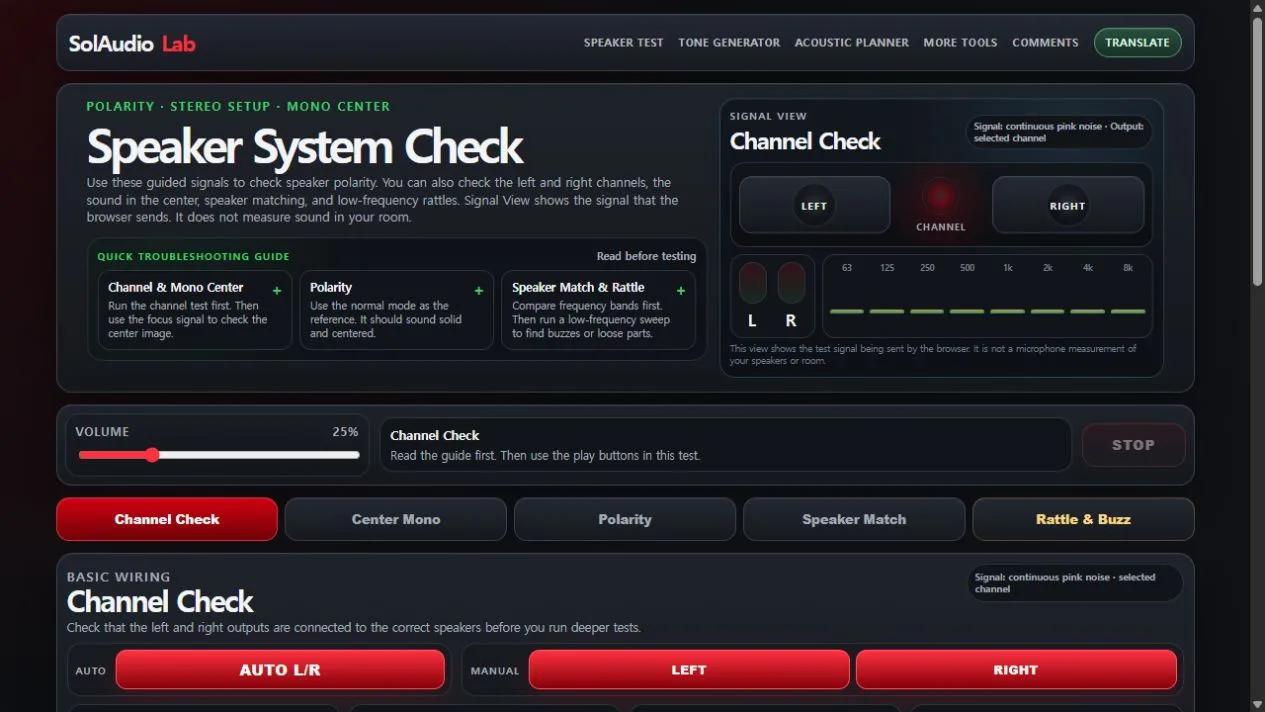
Check the playback system before correcting the mix to compensate for it.
Once the system is behaving normally, compare the mix with a well-produced release from a similar genre. Reference Tracks organizes official listening references by purpose, including low-end control, vocal placement, stereo imaging, density, dynamics, and treble comfort.

A reference track provides a stable point of comparison inside the same playback environment.
A reference is not a template that your mix must copy. It is a control sample. If the reference vocal remains centered on the same speakers while your vocal becomes vague, or the reference bass notes remain distinct while yours collapse into one note, the difference is more likely to be inside your mix.
Match perceived loudness before comparing. Otherwise the louder track can appear fuller, clearer, and more exciting simply because it is louder. Then compare one feature at a time: vocal position, kick-and-bass separation, upper-midrange aggression, reverb depth, or stereo stability.
The tools do not decide whether the mix is good. They reduce the number of unknowns so you can decide what actually needs to change.
Use a comparison you can repeat
Choose a relevant reference track, match its perceived loudness, and use the same short sections for each check. Listen at your normal reference level, briefly check at a very low level, and confirm that the central elements survive in mono.
Do not rebuild the mix because it sounded strange on one unfamiliar speaker. Make a change when the same problem appears through more than one independent reference. This prevents endless EQ corrections made to compensate for a room, a headphone, or a level difference.
The goal is not the same sound. It is the same music.
Headphones and speakers will never produce identical bass, space, or stereo width. They do not need to.
A mix translates when its identity survives those changes: the vocal still leads, kick and bass keep their roles, the rhythm retains its force, and the emotional balance remains recognizable.
Good translation does not mean making every playback device sound the same. It means making sure that when the playback device changes, the listener still receives the same music.
Sources and further reading
- Neumann — Monitor Mission guide
- Audio Engineering Society — Nearfield Crosstalk Increases Listener Preferences for Headphone-Reproduced Stereophonic Imagery
- Genelec — How to Place Your Monitors
- Audio Engineering Society — Listener Preferences for Different Headphone Target Response Curves
- ISO 226:2023 — Acoustics: Normal Equal-Loudness-Level Contours
- Genelec — How to Analyse Frequency and Temporal Responses